Know why you wiped before you pull again.
OpenLogs reads your World of Warcraft combat log straight from disk and analyses it on your own machine. Nothing is uploaded, and a raid night of several gigabytes is ready in a few seconds.
Free and open source. Version Unknown for Windows 10 and 11.
Raid night, pull by pull
Open the log after a wipe and the new pull is already in the list. Everything else works on one pull, on all pulls of a boss together, or on any stretch of time you drag over the timeline.
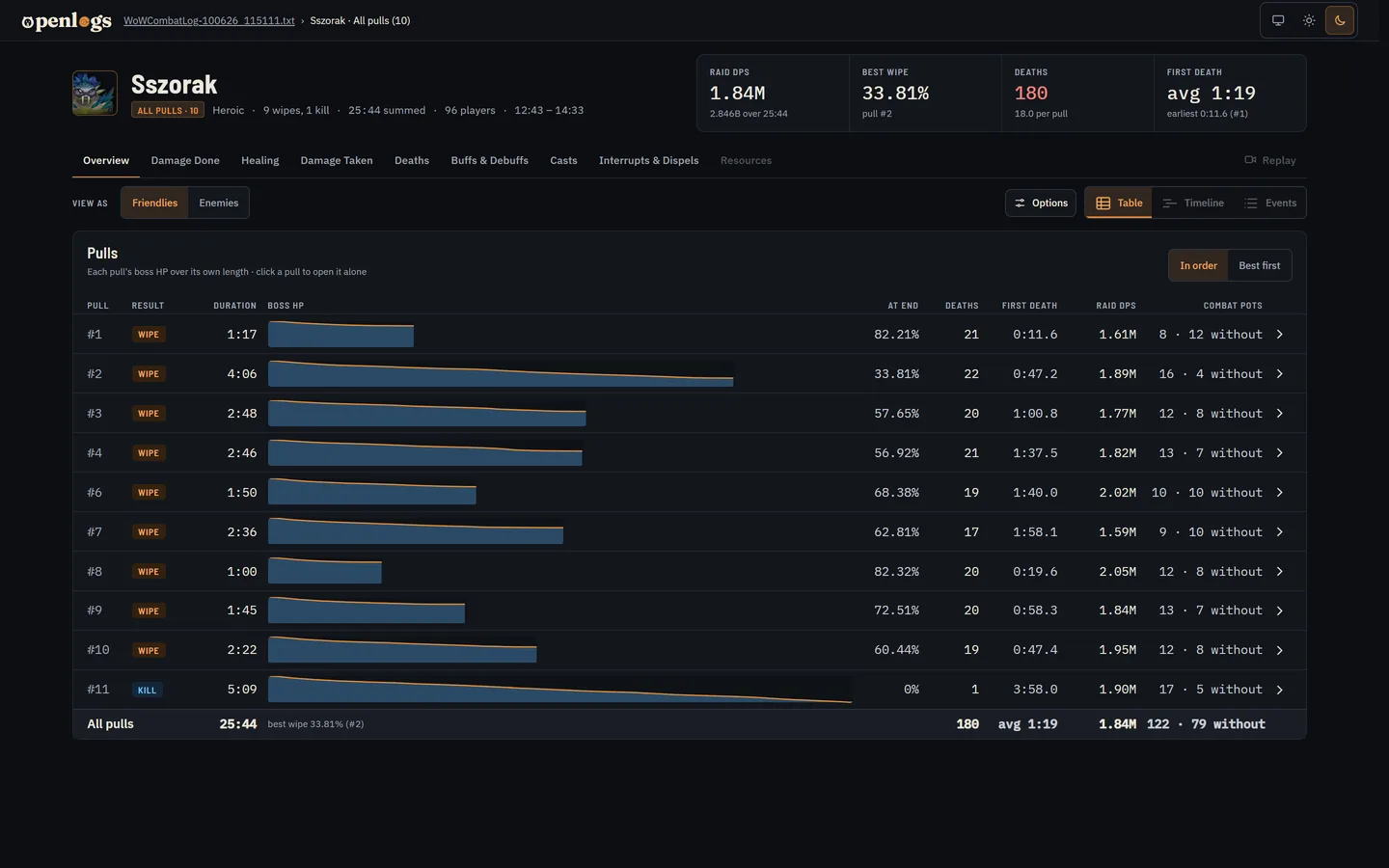
All pulls of a boss in one table
Boss HP over each pull, deaths, first death, raid DPS and potions side by side, so you see whether the raid is getting closer and what keeps ending the pull.
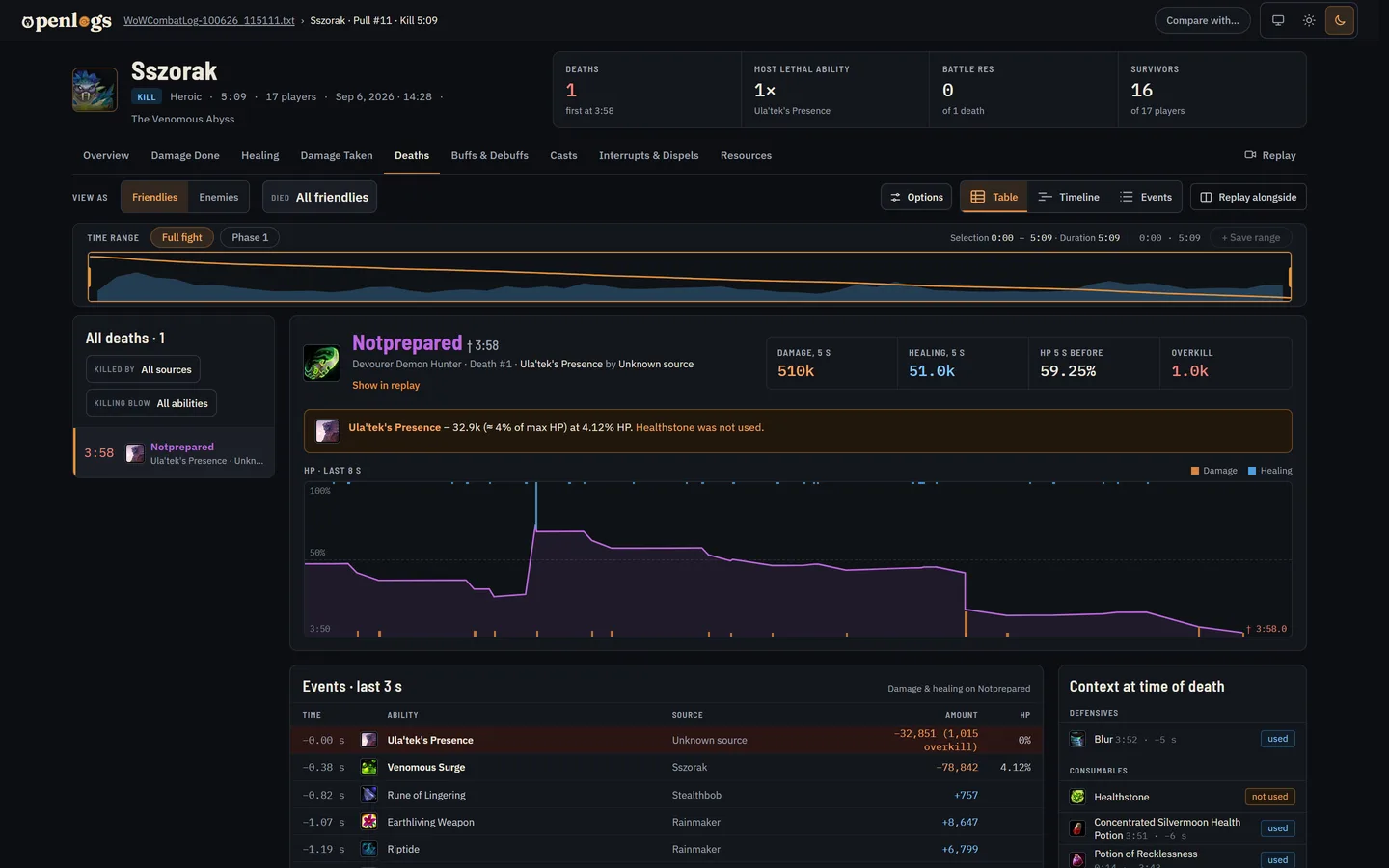
Why someone died
The last seconds before a death: every hit and heal, the HP line, and which defensives and potions were still available or on cooldown.
Also in the app: damage done, healing and damage taken by ability and target, buffs and debuffs, casts, interrupts and dispels, resources, phases and saved time ranges, comparing two pulls, and a replay of positions next to any report.
Your log stays on your PC
The analysis runs right where the file is: in your browser as WebAssembly or in the desktop app. OpenLogs never sends the log anywhere. It is indexed once and the index is kept locally, so opening it again is instant.
- UploadNone
- AccountNone
- 3–4 GiB raid logIndexed in under 5 s
- OfflineDesktop app works without internet
- SourceOpen, AGPL-3.0
Get started
- In the game, turn on Advanced Combat Logging under System, Network.
- Type
/combatlogbefore the pull. The game writes the log to_retail_\Logs. - Open the
WoWCombatLogfile in OpenLogs, in the browser or the desktop app.